From demo request to active trial, without anyone having to chase.
Genera had a working product for UK dog-care businesses and no engine around it to turn a website visitor into an active, paying user. Autoflow built the full path on the tools Genera already used, Make.com, Brevo, and Cal.com: demo request, booked call, trial, and a 31-day onboarding that reacts to what each business actually does in the app.
The challenge
Genera is UK software for dog daycares, dog walkers, groomers, and boarders: bookings, customer records, invoicing, and payments in one place. It is founder-led, with a small team.
The product worked. What was missing was everything around it. Without a system, every step depended on someone remembering: spotting a new demo request, chasing a prospect who never booked, deciding what happens after a call, and checking in on a trial user before they quietly went cold.
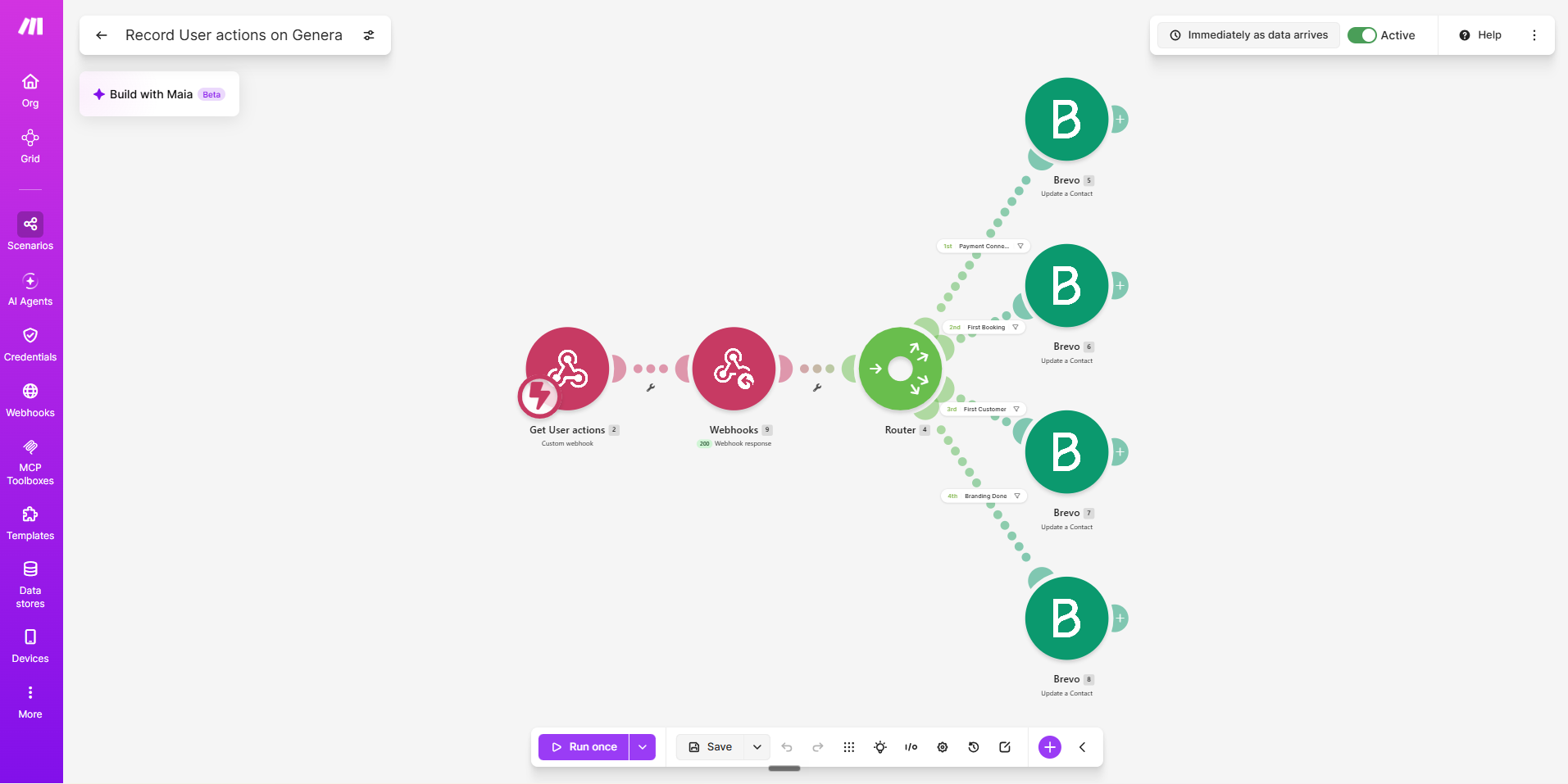
How the pieces connect
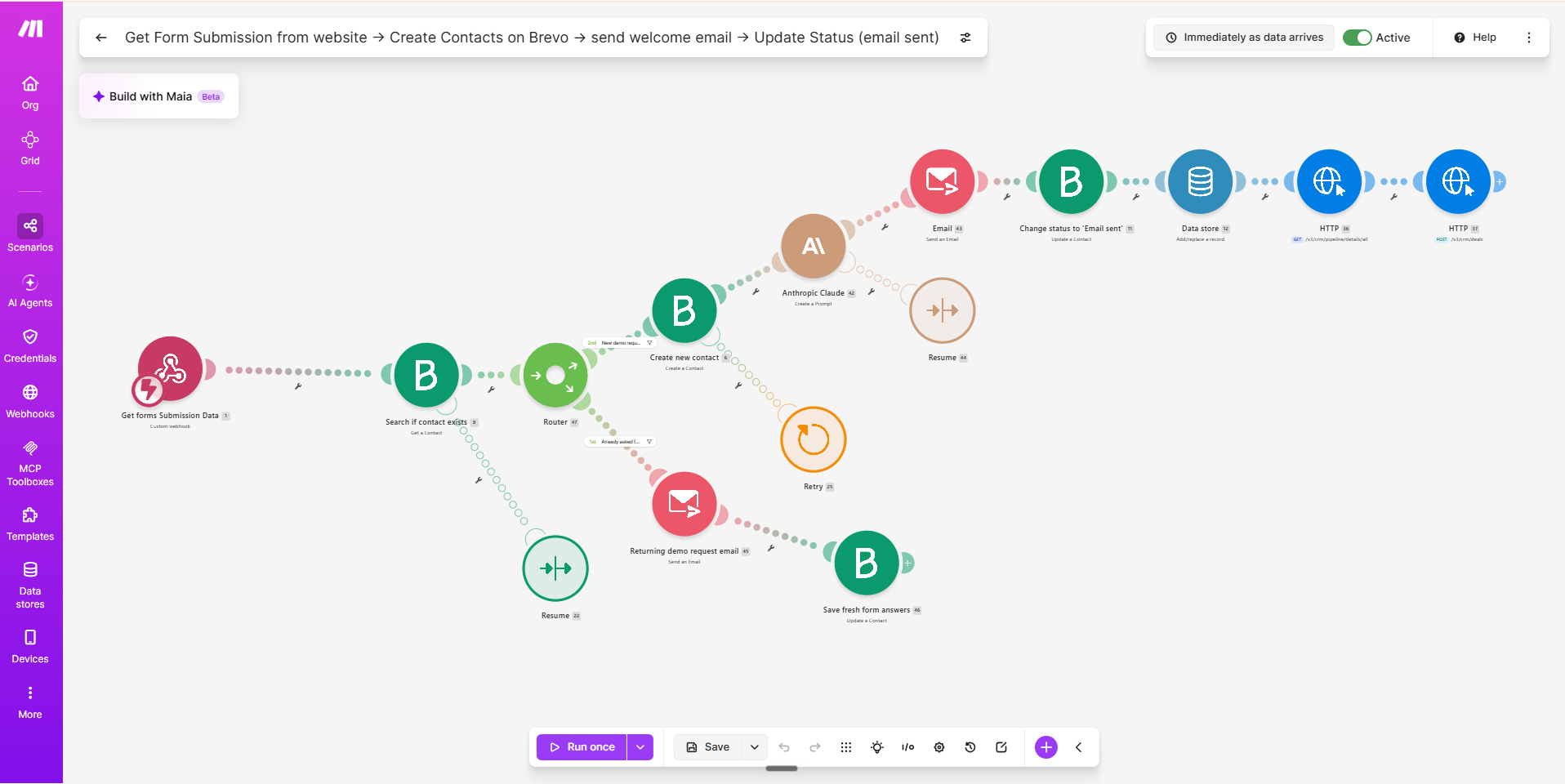
Every follow-up checks first. The moment someone registers, they drop out of the chase and into onboarding, so nobody gets nagged about something they have already done.
Autoflow’s role
Autoflow Solutions designed and built the funnel end to end: the journey and CRM design, every Make.com scenario, the Brevo pipeline, segmentation, and email journeys, the 15-email onboarding sequence, and the product-event spec Genera’s developer built against.
Constraints
- A small, founder-led team, so the funnel had to run on its own and pull a person in only where a human call beats an email.
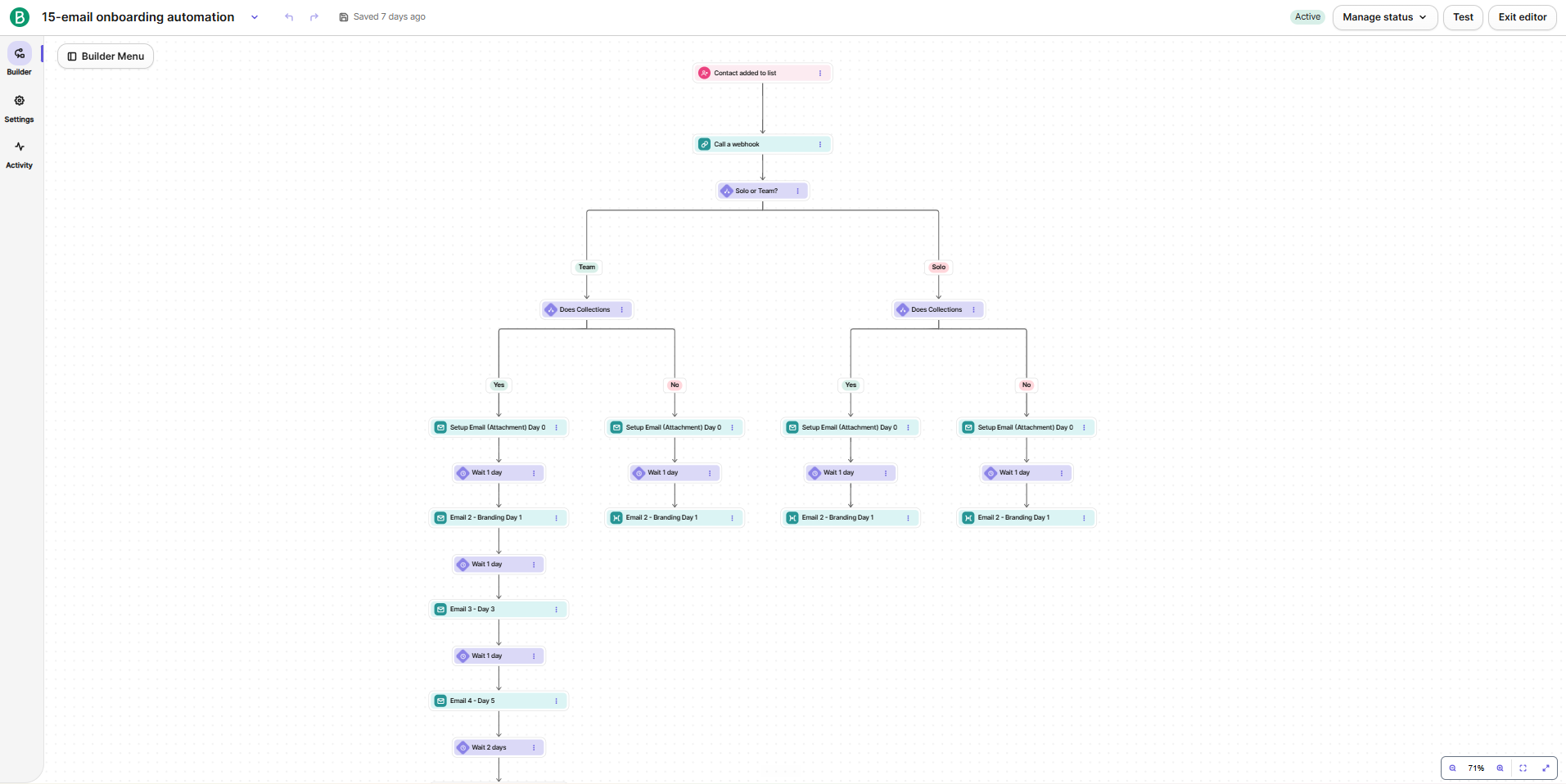
- Genera’s customers run very different businesses. A solo walker who does collections needs different setup help from a daycare with staff, so one generic sequence would miss most of them.
- Automated follow-up is only friendly when it is right. Chasing someone who has already signed up costs more trust than it wins.
- Built on the tools Genera already pays for, within the limits of their existing Brevo plan, with no new platform to adopt.
How we built it
- 01
Segment at the form, not after
The application form asks the questions that shape everything later: team or solo, whether they do collections, and which services they offer. Make turns the answers into flags on the Brevo contact, so every email after that, from the welcome to the setup guide, is picked for how that business actually runs. Four setup paths, one sequence to maintain.
- 02
Track what users do, not what they say
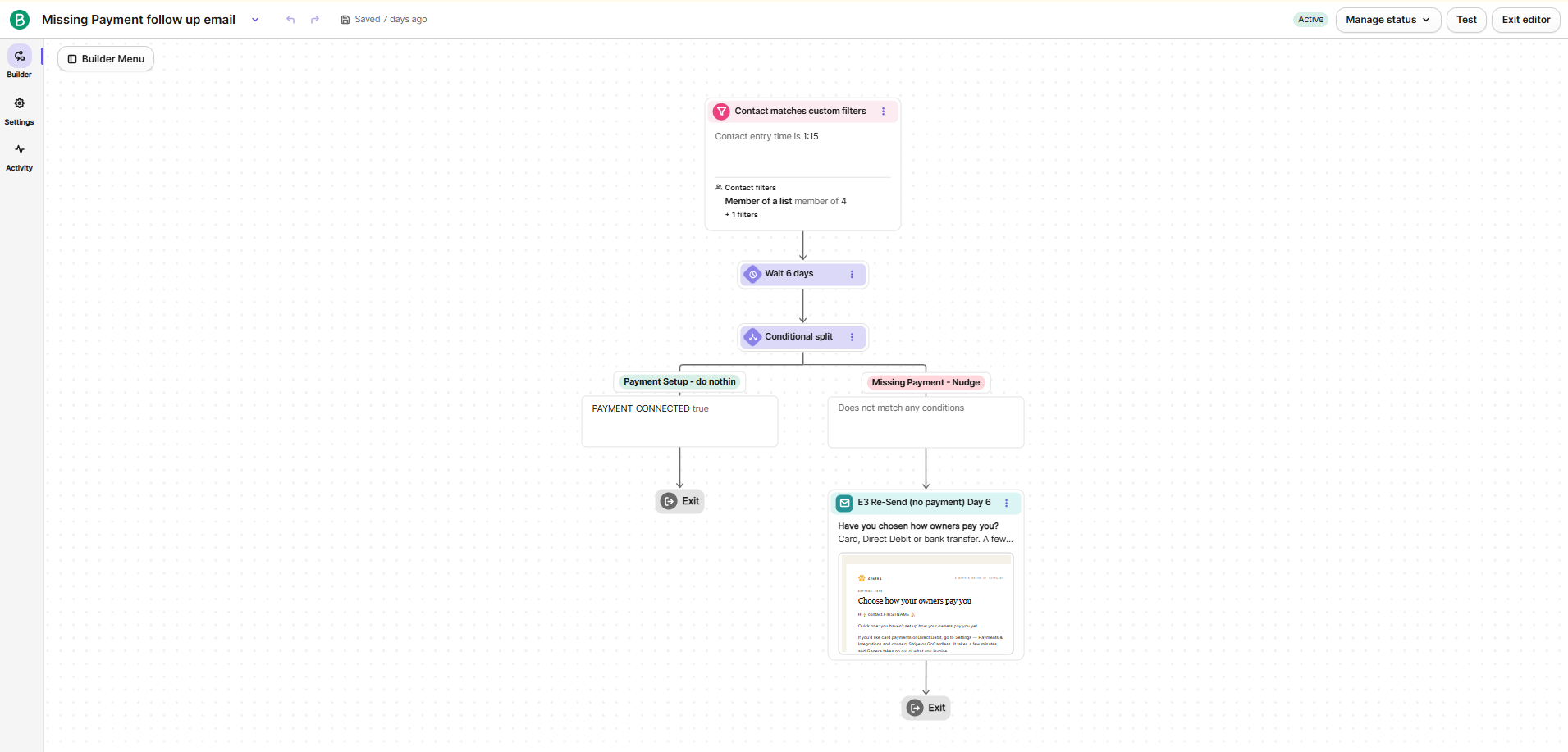
Genera’s app sends four product events to a Make webhook: payments connected, first customer added, first booking taken, and branding finished. Each one sets a flag in Brevo, and the onboarding reacts. No payments by day six triggers a payments nudge, no bookings by day ten triggers a first-booking push, and the end-of-trial checklist only lists what is still left to do.
- 03
One click hands the call outcome back to the system
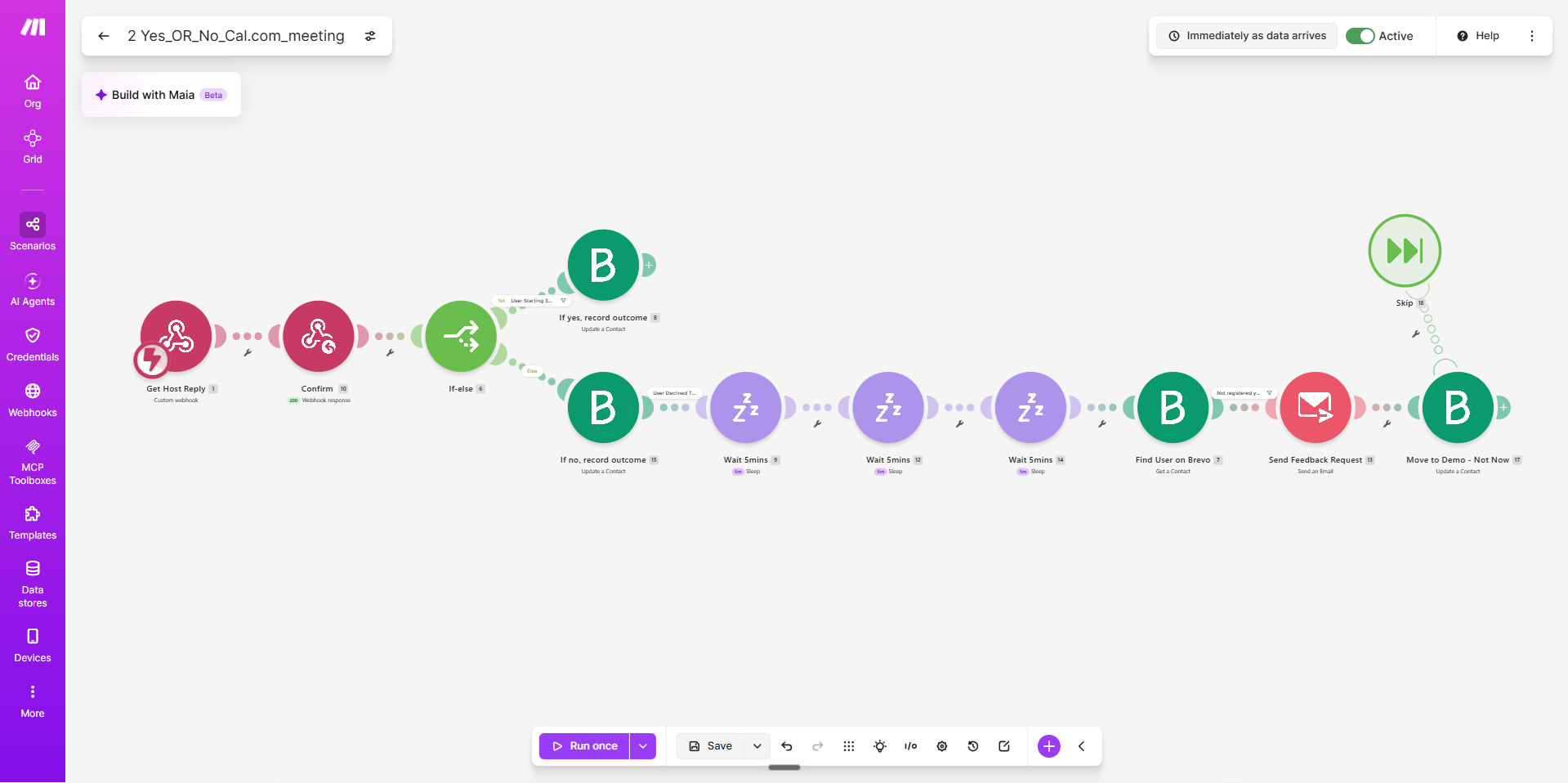
When a demo call ends, the team gets an email with a Yes and a No button. Yes starts the trial path: an invite, then a personal alert to the team if the prospect still has not registered. No sends a short, no-hard-feelings email with one-click reasons that land in a sheet, then parks the contact for a check-in about three months later.
- 04
Failure paths designed in, not discovered later
The AI-written welcome paragraph has a fallback, so the email still goes out if the model call fails. The 24-hour reminder deletes its own record once sent, so a prospect gets one reminder, never five. Someone who requests a demo twice gets a "good to hear from you again" email with their answers updated, instead of a silent error.
What we delivered
- Application intake: the website form creates the Brevo contact with its segment flags and a deal on a seven-stage sales pipeline, then sends a welcome email with a paragraph written by Claude from the prospect’s own biggest challenge and a pre-filled booking link.
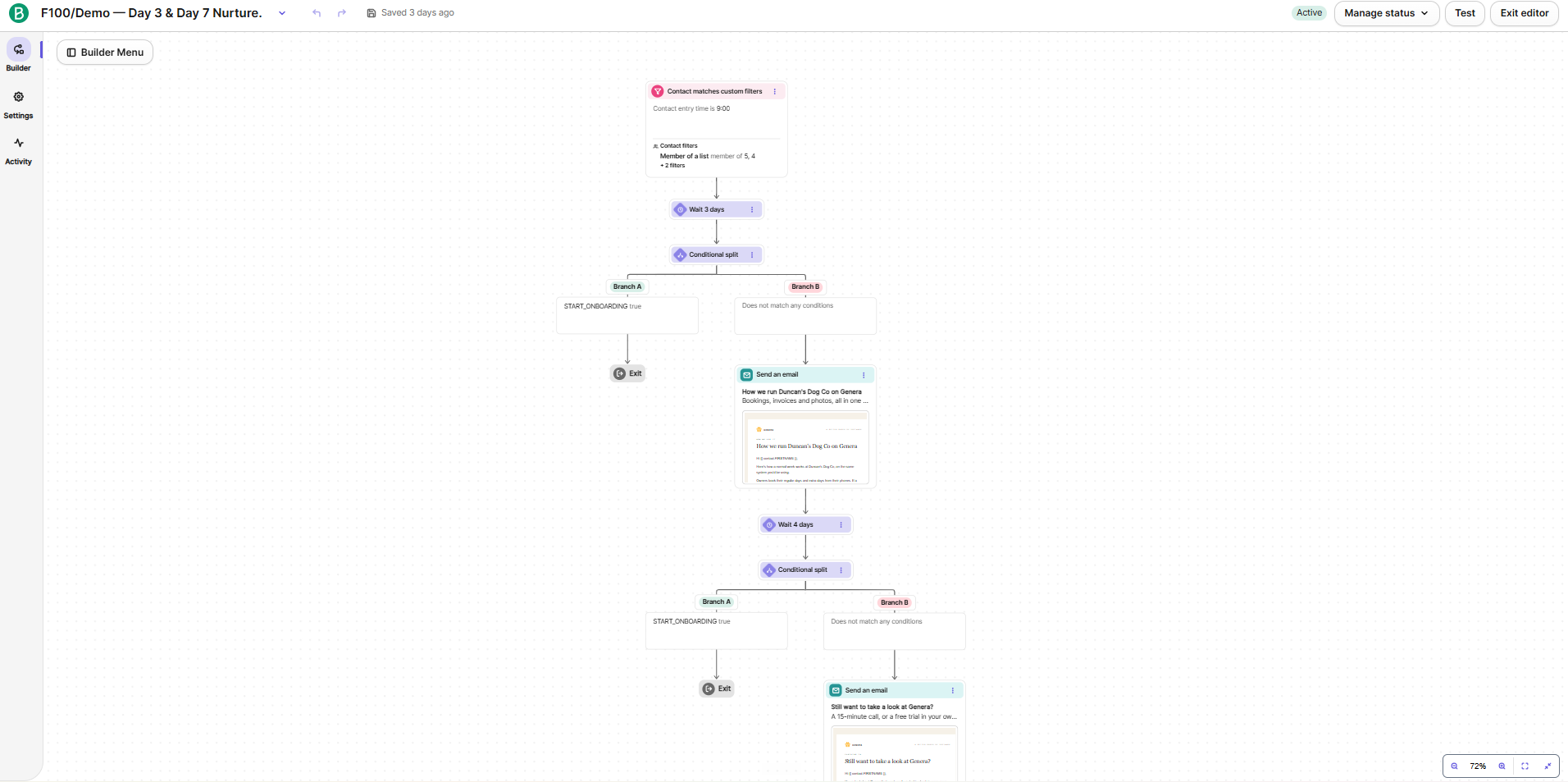
- Booking follow-up: a Cal.com booking updates the contact and the deal and stops the reminders. Prospects who have not booked get one 24-hour reminder, then Day 3 and Day 7 emails, then move to a longer-term list.
- A post-call decision layer: a one-click Yes/No email to the team when a demo ends, a staged trial-invite path with a personal alert if a "yes" never registers, and a polite exit path that logs the reason to a Google Sheet.
- Trial registration: sign-ups from the Genera app land in Brevo, start onboarding, and stamp a 30-day trial end date that the emails count down to.
- A 15-email, 31-day onboarding sequence split into four setup paths (team or solo, with or without collections), each opening with its matching setup guide attached.
- Product-event tracking: four in-app actions feed Brevo and drive payment and first-booking rescue emails, plus an end-of-trial checklist that only shows what is left.
- A long-term "not now" path: one check-in about three months later for anyone who was not ready yet.
Evidence
Want a system your business actually owns?
Tell us what breaks or slows you down. If a build makes sense, we will tell you. If it does not, we will tell you that too.